
Study G
Flashcard app with smart repetition and applock.
- Year
- 2024
- Platforms
- iPhone, Android
- Technology
- Flutter, Dart, Swift, Kotlin, Supabase, PowerSync, Superwall, Sentry
- Status
- Archived
About the app
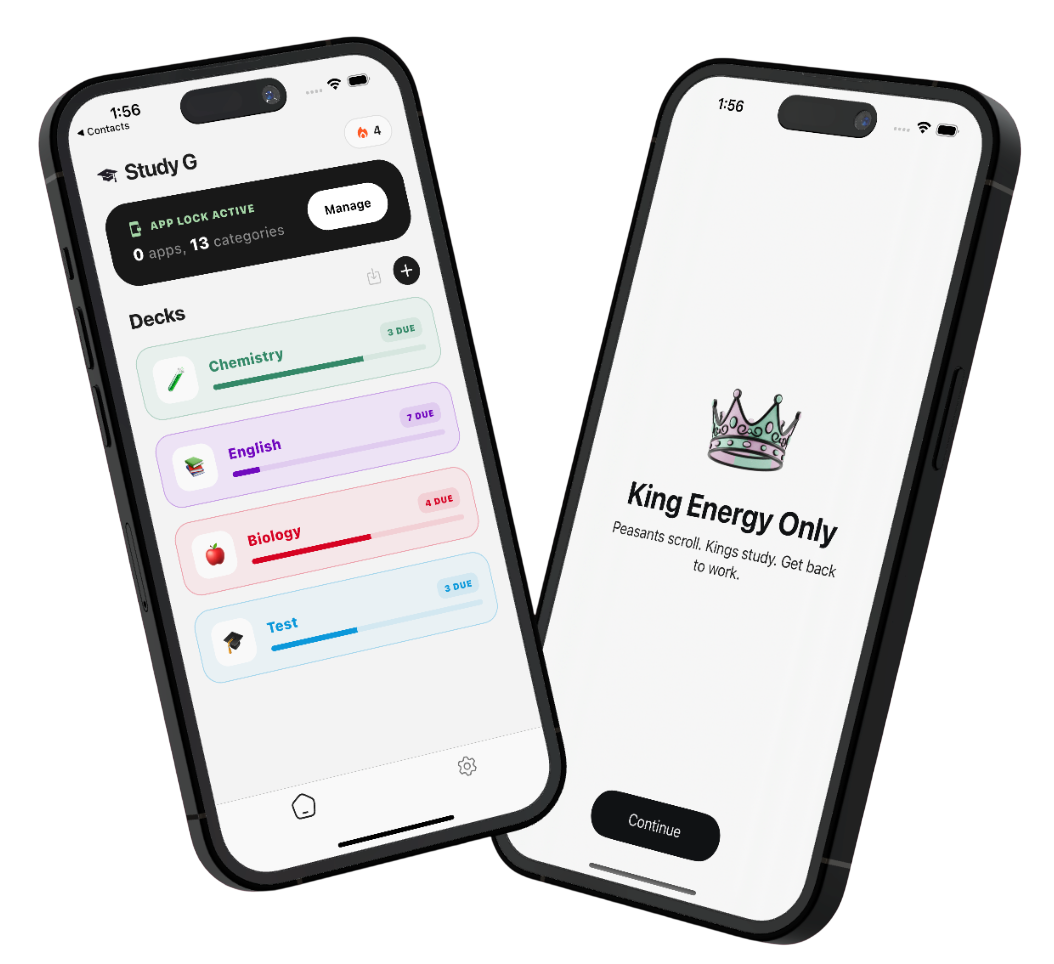
Study G is a mobile app for learning with flashcards. Users create decks of cards with a question on one side and an answer on the other. The app tracks when each card should be reviewed, so the user remembers it as well as possible. It is meant mainly for students preparing for exams.
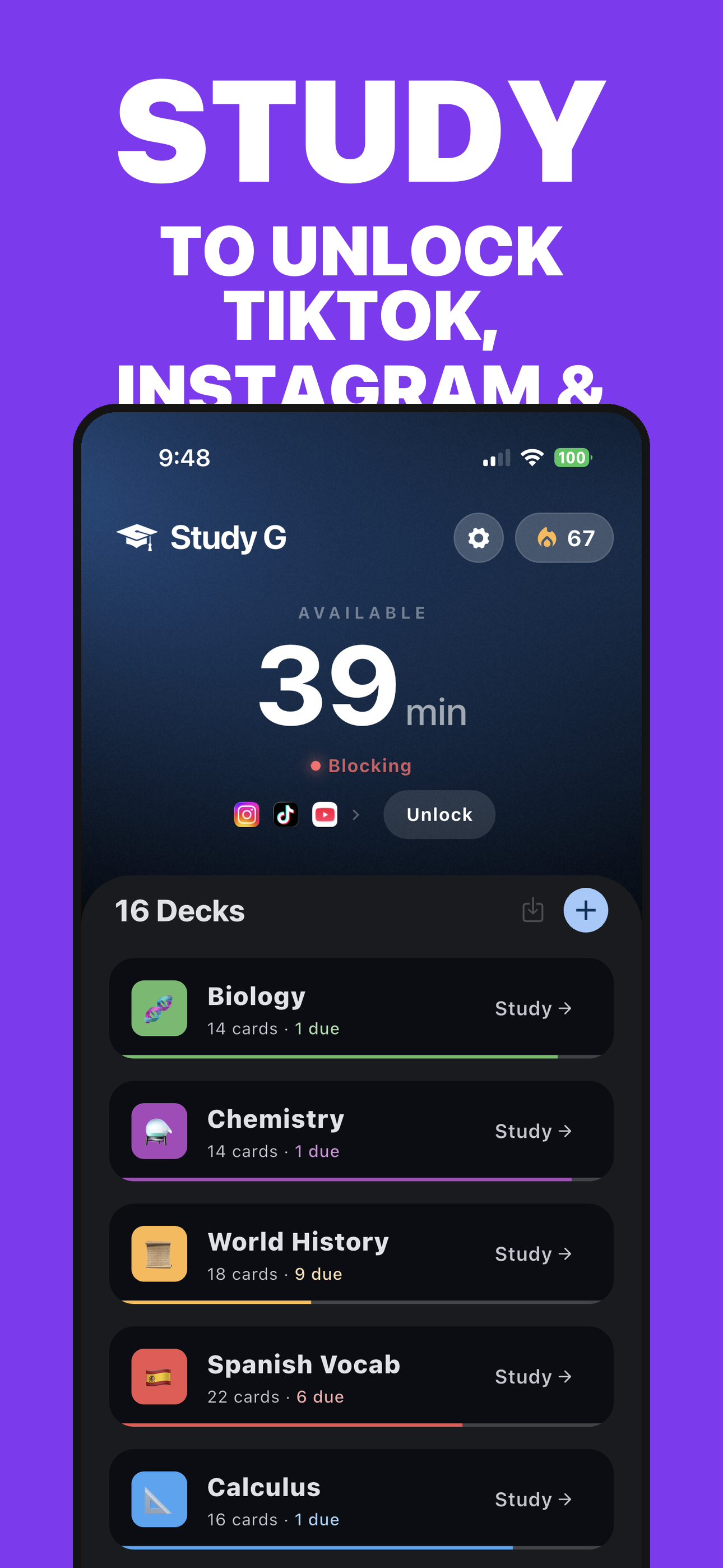
It solves two common problems: preparing cards takes a long time, and the phone pulls attention away from learning. The app can create cards from a topic, photos, documents or a recording. On iPhone it also locks chosen apps until the user finishes their review.
We built this app as our own project. It was not made as a client job.
Key features
Smart repetition
The app decides when to repeat a card, so the user studies less and remembers more.
Cards made by AI
The user enters a topic or uploads a document, photo or recording, and the cards are created automatically.
App locking
On iPhone, distracting apps unlock for a limited time only after the user completes their review.
Exam preparation
A deck can have an exam date and a target grade, and the app plans the learning around them.
Streaks and badges
Users see how many days in a row they studied, and badges keep them motivated.
Folders and sharing
Decks can be organized into subdecks and shared with others using a code.
What was hardest
1. Locking apps on iPhone
Apple allows locking other apps only through its own Screen Time system, which is strict and not always reliable. We had to design an approach that locks the apps again when time runs out, even if the system delays or skips its timer. The feature also includes a countdown of unlocked time on the lock screen and a special approval from Apple.
2. Cards from photos, documents and audio
The user uploads text, a photo, a document or a recording and usable cards should come out of it. This means handling larger files, processing on a server and waiting for the result without the app feeling stuck. Audio recording also allows for the user switching to another app in the meantime.
3. Reviewing at the right time
The app calculates when the user should see a card again, across subdecks and with the exam date in mind. The daily limit of new cards is shared across the whole folder so it cannot be bypassed. The study streak follows the time on the phone, and missed days can be covered by an automatic protection called a freeze.
Screens
What we did
- Design of the look and screens, including an onboarding guide
- Development for iPhone and Android from one codebase
- App back end: data storage, sync and sign-in
- Payments, analytics and error reporting
- Release preparation for the stores